Wedding Floral Wreaths Clipart: A Designer's Watercolor Toolkit
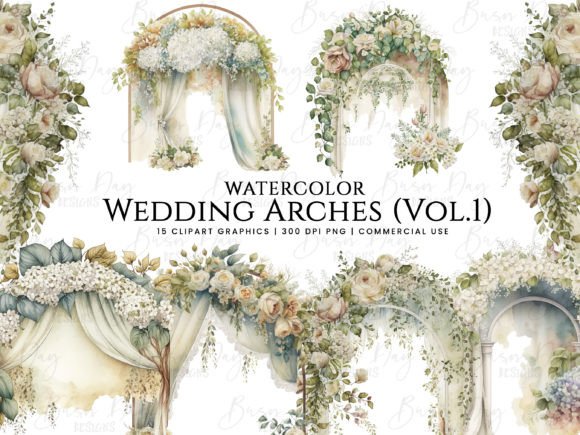
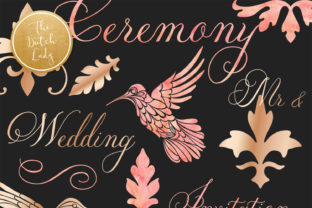
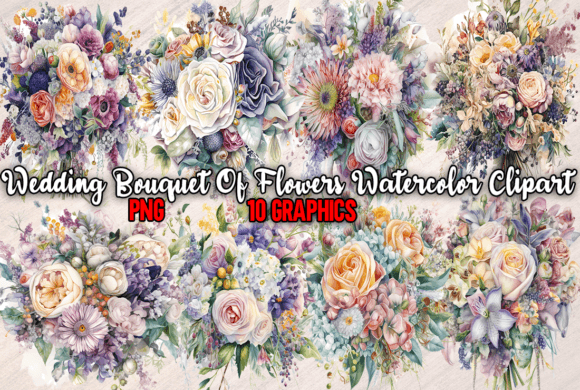
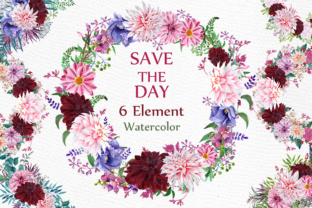
Finding the right visual assets for wedding stationery or romantic branding often feels like searching for a specific shade of blush in a paint store—you know exactly what you want, but the options are rarely precise enough. This collection of Wedding Floral Wreaths Clipart bridges that gap between generic stock imagery and custom illustration. These aren't just digital stickers; they are hand-painted watercolor elements that possess the organic fluidity and texture that only real pigment on paper can achieve. The set includes six distinct elements saved as high-resolution PNGs at 300 DPI, sized at approximately 12 inches. This specific combination of premium font assets and floral illustration offers a versatile foundation for brand identity and editorial design.
The Authenticity of Hand-Painted Watercolor Peonies
The defining characteristic of this set is the medium itself. In an era saturated with vectorized, flat graphics, watercolor textures introduce a tactile quality to digital work. The Watercolor Peony Flowers included in this package are not digitally generated; they are scanned from actual paintings. This distinction matters significantly in logo design and packaging design, where texture can communicate luxury and care. A flat vector flower looks clean, but a watercolor peony looks alive. The soft bleeds, the pigment granulation, and the imperfect edges mimic nature, which is essential for wedding themes where organic elegance is paramount.
For content creators and small business owners, this style solves a common problem: how to look expensive without the cost of hiring a painter for every project. The personality of these wreaths is romantic, soft, and ethereal. They carry a "boho-chic" aesthetic that aligns perfectly with modern wedding trends. However, their utility extends beyond invitations. When used as design assets for a blog header or social media graphics, they immediately establish a mood of calm and sophistication. The visual hierarchy is inherent in the high-contrast watercolor strokes—dark centers fading to light petals naturally draw the viewer's eye inward, making them perfect backgrounds for text overlays.
Strategic Applications in Branding and Marketing
Understanding where to deploy these assets is just as important as having them. In web design, these PNGs work exceptionally well as hero images or background textures for "About" pages. Because they are saved at 12 inches and 300 DPI, they maintain their integrity even when scaled up for print materials. This makes them ideal for packaging design—imagine a skincare brand wrapping a soap box or a baker sealing a favor box with a sticker featuring a Watercolor Peony Flower. It elevates the unboxing experience from a transaction to a moment.
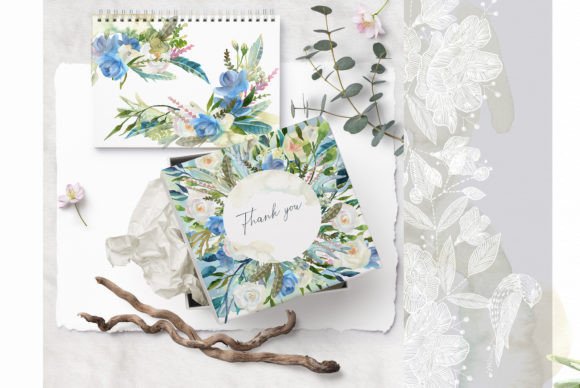
For marketers and entrepreneurs, consistency is key. Using these wreaths across your digital and print collateral creates a cohesive brand identity. A floral frame used on an Instagram post can be mirrored on a business card or a thank-you note. This repetition builds recognition. When pairing these illustrations with typography, contrast is your best friend. Because the wreaths are organic and complex, they pair best with clean, legible typefaces. A geometric sans serif font often provides a nice modern counterpoint to the traditional floral style. Alternatively, a delicate script font can amplify the romanticism, provided it remains legible. Avoid heavy, dark serif fonts that might compete with the intricate details of the watercolor.
Practical Workflow and File Integration
Integrating high-resolution clipart into a workflow requires a basic understanding of file management. Since these Wedding Floral Wreaths Clipart elements are transparent PNGs, they are "drag-and-drop" ready for most software, including Canva, Adobe Illustrator, Photoshop, and Procreate. This eliminates the time-consuming masking process often required with JPGs.
When evaluating if this set fits your project, consider the scale of the details. Watercolor relies on subtle gradients. If you are designing for very small applications, like a favicon or a tiny icon, the nuance of the watercolor might be lost, and you might be better served by a vector graphic. However, for anything the size of a business card or larger, the texture shines.
Here is a practical guide for using these assets effectively:
- Backgrounds and Overlays: Use the full wreath as a frame for a monogram or a date. Lower the opacity slightly if you need to place heavy text over it to ensure readability.
- Layering for Depth: Don't just use the whole wreath. Isolate a single peony or a cluster of leaves. Use these fragments as corner accents on a menu or a resume. This creates a custom look rather than a "clipart" look.
- Color Harmony: While you cannot change the color of the watercolor strokes directly without advanced editing, you can change the background color of your canvas. Soft creams, slate blues, and sage greens often complement the natural tones of the peonies best.
Licensing is a critical checkpoint for commercial use. Always verify the terms of a commercial font or asset license. In most standard digital asset licenses, you can use the graphics in products you sell (like printed invitations or digital templates) as long as the graphic is flattened and cannot be extracted by the end user. This allows crafters and publishers to monetize their creations legally and ethically.
Enhancing Audience Engagement Through Visual Texture
Ultimately, the goal of any creative font or graphic asset is to facilitate communication. In the wedding industry, emotion sells. A sterile, overly digital layout can feel cold and transactional. By incorporating hand-painted elements like these Watercolor Wreaths, you are signaling to your audience that you value artistry and detail. This builds trust. When a bride sees a wedding invitation suite that features genuine watercolor texture, she perceives a higher value than she would with standard clipart.
For bloggers and publishers, these elements break up text-heavy pages, improving the user experience and keeping readers engaged longer. They provide visual resting points that make the content easier to digest. Whether you are designing a mood board, creating a lookbook, or styling a Pinterest graphic, these six elements provide a robust toolkit for adding that necessary touch of floral elegance. They are not just images; they are foundational pieces for visual storytelling.